Free Invoice Generator
Fill in the form and watch your invoice build itself. Download or print it as a PDF when you are done — no signup, no watermark, and your details never leave this browser.
Fill in the form and watch your invoice build itself. Download or print it as a PDF when you are done — no signup, no watermark, and your details never leave this browser.
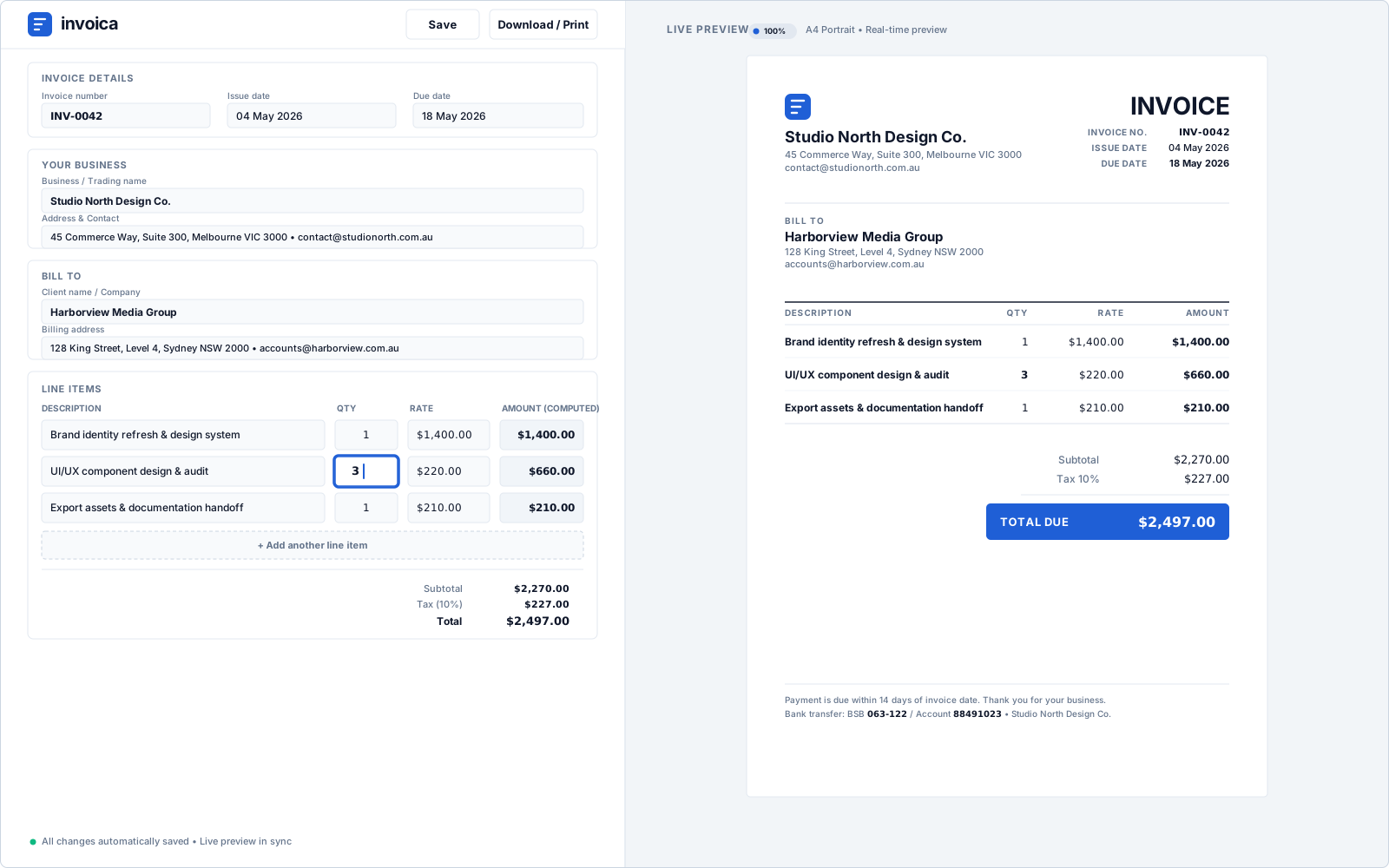
An invoice is the document that turns finished work into a debt your client owes you. It needs to say who is charging whom, for what, how much, and by when. The generator above walks through it in six steps — most people finish in under two minutes.
Your trading name, address, email and any tax registration number. Add a logo if you have one — it is stored in your browser, not uploaded.
The name and address the invoice is billed to. For business clients, use the registered entity name so the invoice matches their records.
Give the invoice a unique number, an issue date and a due date. Sequential numbering is what makes an invoice traceable in your books.
One line per item or service, with quantity, unit and unit price. Descriptions that name the deliverable get paid faster than a single line reading “consulting”.
Apply tax per line or across the invoice, subtract a discount, and record a deposit under amount paid so the balance due is what the client actually owes.
Check the live preview, then download the invoice as a PDF or print it. Nothing is sent anywhere unless you choose to save it to an account.
These are the fields a client, an accountant or a tax authority expects to find. The generator prompts for all of them, so a completed invoice is a complete document.
Send the invoice as soon as the work is accepted, not at the end of the month. The clock on your payment terms only starts when the client has the invoice in hand.
Yes. Creating an invoice, choosing a template, adding your logo, applying taxes and discounts, and downloading or printing the PDF are all free, with no watermark and no limit on how many invoices you make. Paid plans exist for extras like saving invoices to an account, custom colours and custom fields, but you never need them to send a professional invoice.
No. The generator works immediately with no signup, no email address and nothing to install. You only need an account if you want your invoices saved to the cloud so you can reopen them from another device.
In your own browser. An anonymous invoice — including your logo and your client’s details — is kept in local storage on your device and is never uploaded to our servers. Clearing your browser data removes it, and it will not appear on another computer unless you sign in and save it deliberately.
At minimum: the word “Invoice”, a unique invoice number, the issue date, your business name and contact details, your client’s name and address, a description of what you are charging for with quantities and rates, the total due, and how to pay. If you are registered for sales tax, VAT or GST you must also show your registration number and the tax charged. Some countries add their own requirements — Australia, for example, requires the words “Tax invoice” and your ABN.
Open the tax and discount section and enter your rate. You can apply one rate to the whole invoice or set a different rate on individual line items, which is how you handle a mix of taxable and zero-rated work. The tax label is editable, so it reads VAT, GST, Sales tax or whatever your jurisdiction uses.
Yes. Upload a logo in the business section and it appears on every template. The logo is read directly by your browser and embedded in the invoice — it is not sent to a server. Custom colours and fonts are part of the paid plan; the logo is free.
Click Download / Print. Your browser opens its print dialog — choose “Save as PDF” as the destination instead of a printer, and you get a PDF file with the same layout you saw in the preview. This works in Chrome, Edge, Safari and Firefox on both desktop and mobile.
The downloaded PDF is final, but your draft stays in the browser, so you can change any field and download a corrected copy. If the client has already received the original, issue a credit note or a clearly numbered replacement rather than quietly re-sending the same invoice number — invoice numbers are meant to be unique and traceable.
Any sequence works as long as it never repeats and never goes backwards. Starting at 001 is fine; many freelancers prefer a dated format like 2026-001 because it sorts cleanly and makes the year obvious at a glance. Pick one format and keep it — gaps and duplicates are what make an accountant ask questions.
For most freelancers, sole traders and small businesses — and for anyone invoicing consumers — yes, a PDF sent by email is a valid invoice, and it is valid in the United States, Canada and Australia. The exception is business-to-business invoicing in countries rolling out mandatory e-invoicing, such as France, Germany, Poland and the UK from 2029, where large and mid-sized businesses must exchange invoices in a structured format that a PDF does not satisfy. Check your own country’s rules if you invoice businesses in the EU or UK.
Both, and the difference matters. A template is a fixed document you fill in and hope the arithmetic is right. An invoice builder calculates as you type — line totals, tax per line, discounts, amount paid and the balance due — and re-renders the preview on every keystroke. This is the second kind. You can start from one of the templates and the builder still does the maths.
Yes. Currencies, date formats and number formats follow the locale you pick, and the tax label is free text, so the same invoice works whether you are charging USD sales tax, GBP VAT or AUD GST.
The same generator, set up for how your trade actually bills.
invohq is a free invoice generator for freelancers, contractors and small businesses. No signup, no watermark, no limit.